
Technology to support teachers and families

More time
to be there for children.

We use AI to help teachers and foundation staff prepare activity ideas, develop teaching materials, plan illustrations, and make communication with parents clearer.

At TK Hijau Kalampangan, technology works behind the scenes. Children still learn with teachers and families, through play and firsthand experiences with nature.

AI assistance for educators is separate from portal integration. Our public portal is still a prototype; its sample outputs use local templates, not real-time AI responses.

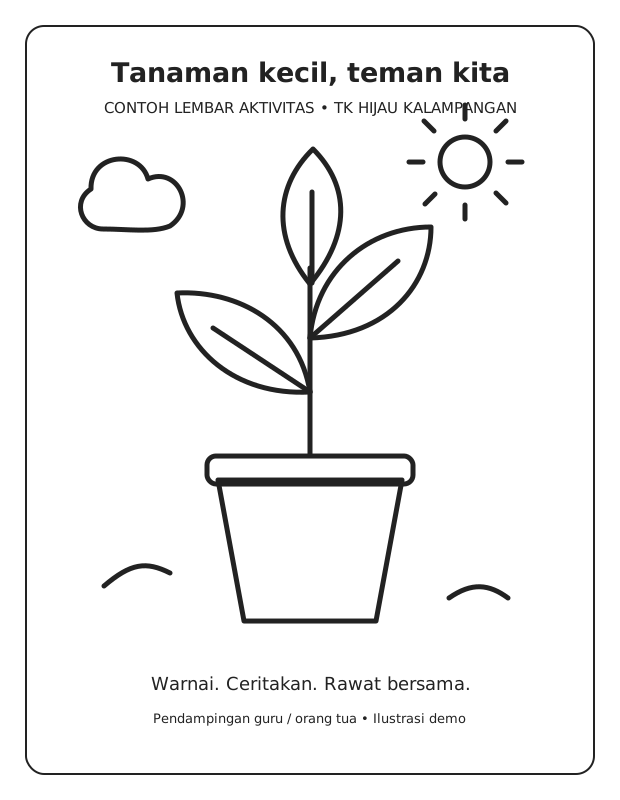
Sample plant coloring sheet for an adult-supervised activity
Sample visual material · Demo illustration, not real-time AI output.
Everyday uses

Practical for teachers.
Helpful for families.

01

Teachers: less time spent preparing.

AI helps with drafts, not educational decisions. Teachers select, revise, and adapt materials to their class's needs.

  • Play activity ideas suited to the children's age, the theme, and the learning goals.
  • Draft short stories, activity sheets, and prompts to spark discussion.
  • Image generation briefs: plant illustrations, color cards, or coloring materials for teachers to review.
  • Draft messages to parents and learning note formats, without including children's identifying information.
02

Children: materials that spark curiosity.

AI-assisted materials can become hands-on activities: observing, telling stories, coloring, and creating things with an adult's support.

  • Simple visuals to explore shapes, colors, animals, and nature.
  • Stories and games adapted by educators, not automated assessments of children.
  • Printable activity sheets that support creativity and fine motor skills.
  • We do not provide an unsupervised chatbot for young children.
03

Parents: clearer guidance for supporting children.

AI helps educators share ideas for activities at home in clear, friendly language that is easy to follow.

  • Short play activities using materials already available at home.
  • Activity summaries and draft guides that teachers must approve before sharing.
  • Step-by-step activity guidance without requiring new equipment.
  • Schedules, permissions, and school decisions follow official announcements, not AI answers.
People remain in charge of decisions

From ideas to hands-on activities.

Step 1

Teachers set the direction

Define the goals, age group, theme, materials, and activity requirements.

Step 2

AI helps with drafts

Prepare alternative stories, activities, text, or visual briefs.

Step 3

Educators review

Check accuracy, safety, age suitability, and local context.

Step 4

Learning with adult support

Materials are used in play, creative activities, and face-to-face interaction.

Principles for use

Privacy and safety come first.

  • Do not enter a child's full name, photos, identification numbers, or health information into an AI service without an appropriate basis and permission.
  • Use general learning needs and anonymized data.
  • People must review AI outputs; they must not be used for diagnosis, labeling children, or automated educational decisions.
  • Illustrations are not evidence of actual activities. Usage rights and the suitability of materials need to be checked.
An open view of development

See where we're heading.
Try the prototype.

The teacher and parent portal shows examples of the workflows we hope to develop: lesson preparation, communication, and family support. All identities and records in the portal are fictional.

This portal is not yet connected to authentication, a student database, or an AI service. Its working features are demo interactions and sample material downloads.

Open the public demo ↗

For actual school services and information, use our official contact details.